1. Download the order file from here
Use this report for the month whose profit you want to calculate.
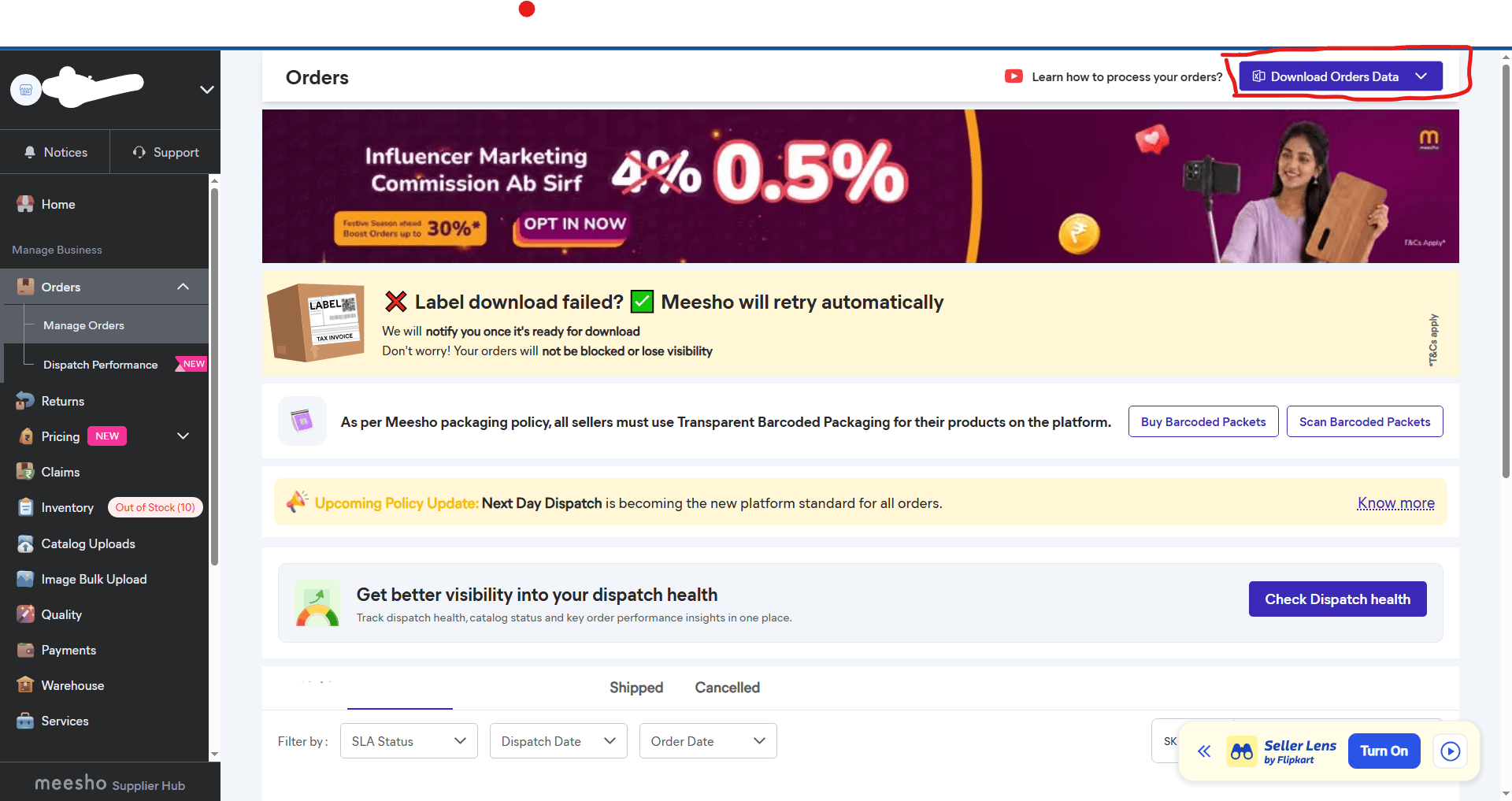
To calculate one month's actual profit, download the order file for that month, then upload two payment files: the same month and the next month. This is important because Meesho often settles payments after around 15 days, so some orders are paid in the next cycle.
Choose the exact month whose profit you want to calculate. That order export is the base file for the full report.
Upload the payment file for that same month and also the next month. Meesho settlements usually come after around 15 days, so some orders settle in the following month.
Add one order file and two payment files. This lets the tool match orders with the final settled amounts correctly.
Enter the purchase cost for each SKU. The tool uses this to calculate COGS and net profit accurately.
Once matching is complete, you get the final profit/loss view with sales, settlements, SKU cost, deductions, and the real amount you made.
Use this report for the month whose profit you want to calculate.
Download two files: one for the target month and one for the next month.
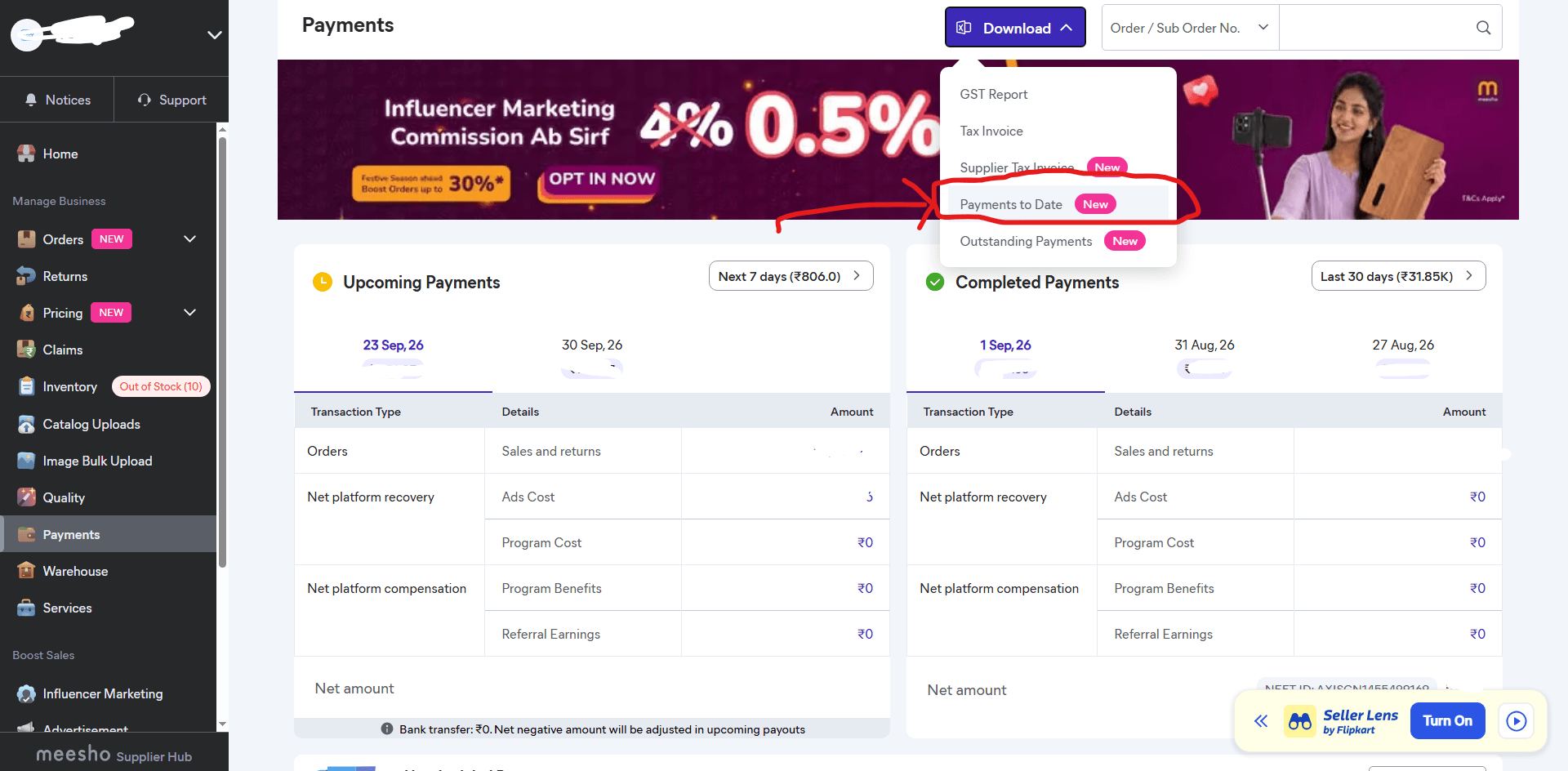
The one month you want to measure.
The same month as the order file.
The next month, because settlements may appear later.